
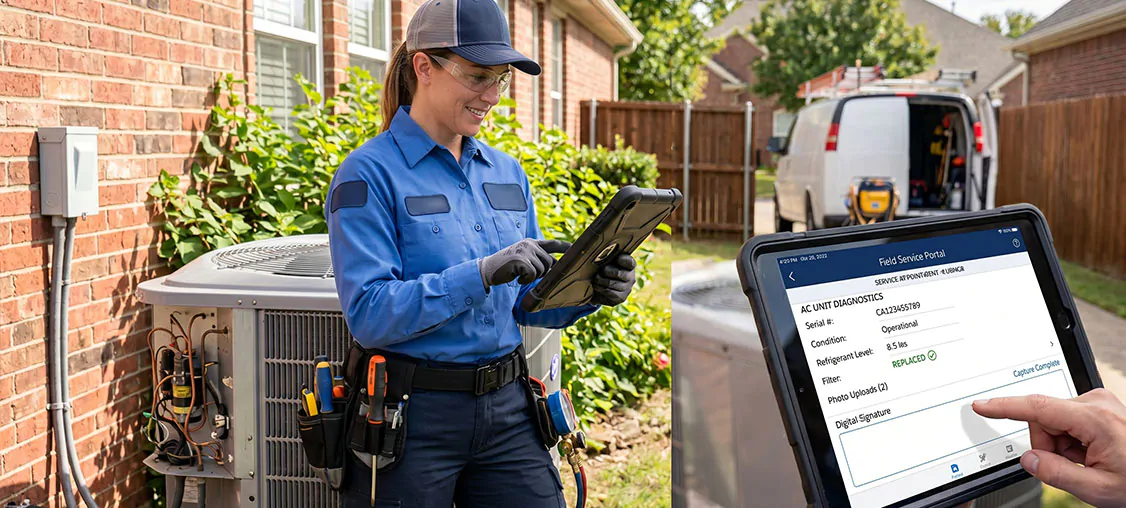
How much of your ops manager's week is spent chasing job completion details that should already be in the system? At ProQuest, it's one of the first questions we ask. Because somewhere out there, a technician just wrapped a four-hour job, gloves still on, and had to stop and fill in a form. They did their best. But the data that came back? Probably not as clean as the ops team hoped.
The Process Was Built by Someone at a Desk
When a Salesforce Field Service implementation goes live, the focus naturally goes to what most people think of first: scheduling, dispatch, work order management, getting the team on the app, and actually using it.
Data collection in the field often gets whatever's left. It makes sense on paper. It just wasn't designed for 35-degree heat, a van to pack up, and three more jobs before lunch.
So the gaps creep in. Fields left blank, records submitted late, inconsistencies nobody catches until the ops manager goes looking.
Have you heard of Salesforce Data Capture?
Salesforce recently released a new feature on their Field Service product called Data Capture, which simplifies how field technicians collect and submit information on the job. Here's what it actually does:
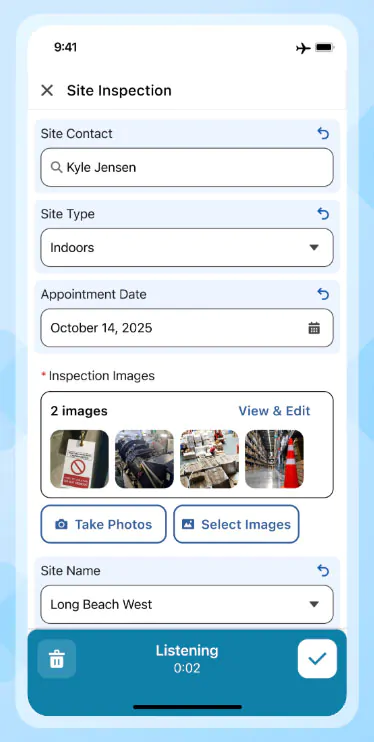
- Only relevant fields, depending on the job. Forms are configured to show only what needs to be filled in. Mark a component as faulty, and the right follow-up fields appear. All clear, they move on. No irrelevant fields. No wasted time.
- Built-in calculations. Need to work out a percentage or a dollar amount on site? The form handles it. No switching to a calculator app, no manual working out. Everything stays on one screen.
- Works offline. Field environments aren't office environments. Data Capture operates without a signal and automatically syncs when connectivity returns. Nothing gets lost mid-inspection.
- Voice to Form. Through Agentforce Field Service, technicians can speak their findings out loud and watch the form fill itself. Gloves on, eyes on the job.
- Everything lands in the right place. Because Data Capture is native to Salesforce, everything captured links directly to assets, work orders, and service appointments. Which means your reporting, compliance records, and automated follow-up actions can all run from the same data, without anyone manually connecting the dots.
What Our Consultants Think
We didn't want to just take Salesforce's word for it. So we asked two of our own consultants, Raul and Jabran, who have both worked hands-on with Data Capture across different implementations, to give us their honest take.
Raul: A genuine step forward
Raul worked on a property valuation implementation where the team was already on Salesforce Field Service, but hadn't yet adopted the mobile app. With Data Capture being a recent addition to the platform, it was the perfect opportunity to modernise their forms and build those mobile capabilities from the ground up.
What made the difference:
- Smarter forms, same screen. Unlike traditional mobile flows, technicians don't need to navigate to a new screen to see new fields or trigger validations. Everything reacts in real time, right where they are. Faster to fill in, less room for error.
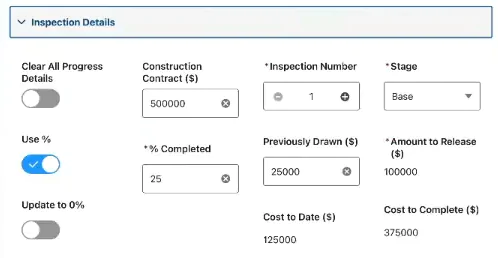
- Calculations on screen. Toggle between entering a percentage or a dollar amount to determine completion, and the form calculates the other automatically. No need to open the calculator app.
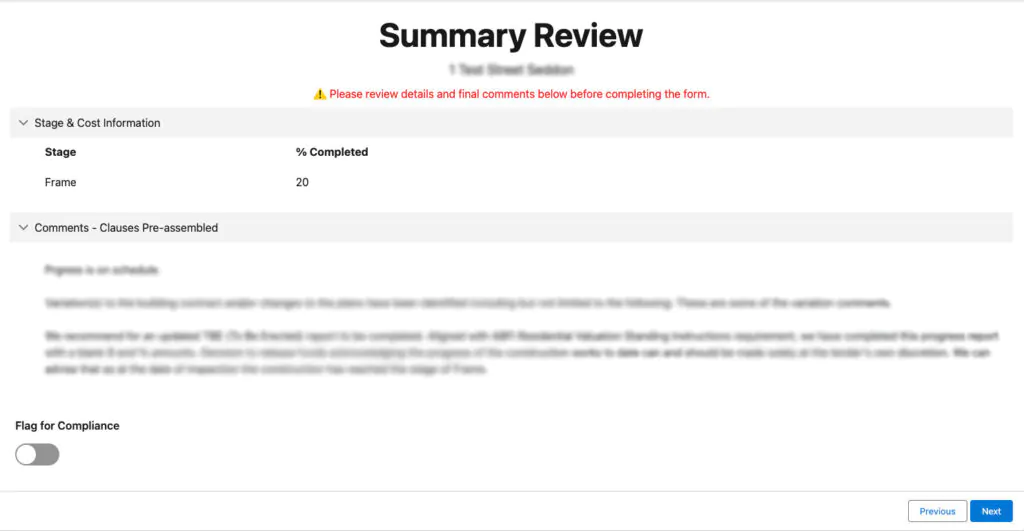
- No more jumping between platforms for report clauses. Valuation reports are built around clauses that document what was observed on site. Previously, valuers had to copy-paste each clause manually from another platform. Now, selecting a clause in the form automatically populates it. One tap, done.
His advice: don't overcomplicate the setup. Before you go live, make sure your data is clean and you have a plan if something goes wrong.
Jabran: Promising, but not for everyone yet
Jabran worked with a client that had been on Salesforce Field Service for several years, and the expectations were high. For that particular operation, Data Capture wasn't ready to meet them.
The current limitations worth knowing:
- Branding and layout flexibility is restricted. Font choices, background colours, and component spacing can't be customised to match a client's look and feel.
- Complex workflows are a stretch. Operations updating large numbers of work order line items simultaneously can run into errors.
- Migration isn't a small lift. Moving existing complex workflows across takes significant time and effort. The question worth asking is whether the timing is right for your operation.
His honest take: Data Capture is a viable path forward for the right client. But if your operation has strict design requirements or complex workflows, go in knowing what the tool can and can't do today. Set clear expectations from the start, and work with your implementation partner to understand what's on the roadmap before making the call.
Where It's Headed
Salesforce is actively developing the product, despite its current limitations. The upcoming summer release is set to address some of the gaps our consultants have flagged, but our team is excited to see it mature further. Here's what we're hoping to see:
- Greater UI control through Lightning Web Components. Right now, design flexibility is limited. Adding LWC support would give teams far more control over how forms look and feel, opening the door to proper branding, custom layouts, and a consistent experience across clients.
- A consistent experience across Android and iOS. Currently, the same form can render differently depending on the device. For field teams running mixed device environments, that inconsistency creates unnecessary friction and a poor user experience.
- Repeater components and nested sections. The ability to repeat a section of a form dynamically, or nest sections within sections, would remove one of the more significant design limitations teams face today. Right now, workarounds are required for what should be straightforward form structures.
- The ability to query records within a screen. Giving technicians the ability to search and pull in existing records directly from within a Data Capture form would be a significant step forward, reducing manual input and improving accuracy on the job.
The direction is clear. And we're watching it closely.
Where to Go From Here
The businesses pulling furthest ahead aren't just using Field Service. They're using all of it, and they've built it around everyone in the process, including the people in the field, and not just the people at the desk.
Data Capture is a meaningful part of that. It's still maturing, but the direction is right.
The honest question is whether your operation is set up to get the most out of it today, or whether you're better off watching the roadmap for another release or two before making the move.
Either way, going in informed beats going in optimistic. If you're curious how that can look for your operations, we'd love that conversation. Have a talk with ProQuest.