

If you use Salesforce, this one's worth two minutes of your time.
Salesforce is rolling out one of its biggest security shake-ups in years: they are rolling out major MFA changes, aimed to closing the door on credential phishing.
Here's the short version: some of your people now need a stronger kind of login. And chances are, more of them are affected than you'd guess.
Who actually needs to worry
Anyone with admin-level access (System Administrator, Modify All Data, View All Data, Customise Application, or Author Apex), will need to use phishing-resistant MFA. That list catches more people than you'd think. Someone in sales ops with one leftover permission set can count too.
So the real question isn't "who's an admin." It's "who's holding admin-level permissions, on purpose or not."
What changes for them
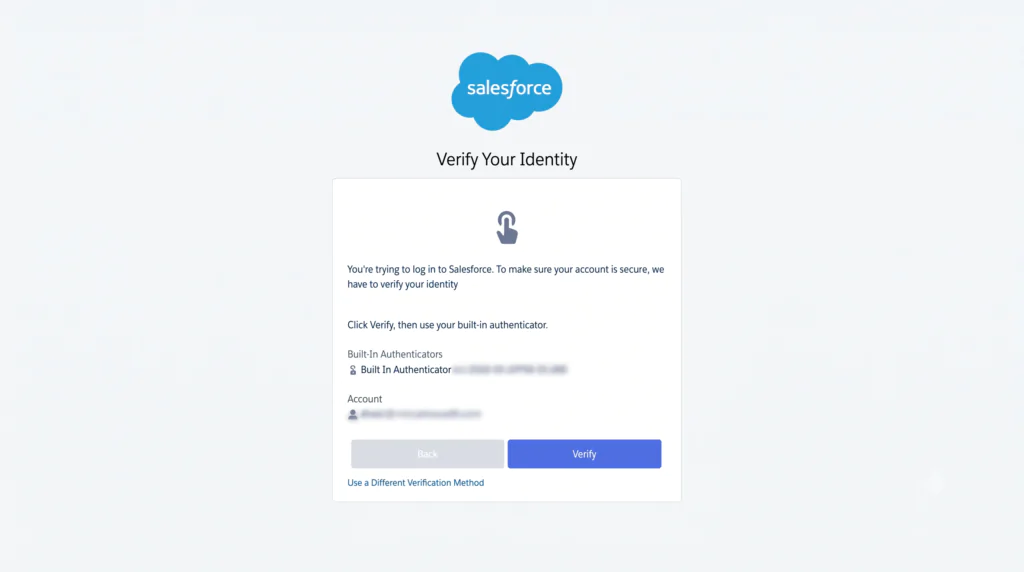
For anyone in that group, authenticator apps and SMS codes no longer cut it. Only a passkey, a physical security key, or a built-in authenticator like Touch ID or Windows Hello will let them log in.
For everyone else, standard MFA will be required at login. No exceptions there either.
When is this change happening
The original rollout had sandboxes starting June 22, and production following on July 1 for admins, July 20 for everyone else. On July 1, the day enforcement was meant to begin, Salesforce put both dates on hold.
Worth sitting with that for a second. A global platform paused its own security rollout because too many orgs weren't ready. That's not a reprieve. It's a preview of what happens if you leave this to the last minute.
As of July 10, Salesforce shared a revised timeline:
Phishing-resistant MFA for admins and privileged users
- Sandbox: started 6 July (moved from 22 June)
- Production: now scheduled for 20 July (moved from 1 July)
Standard MFA for all employee users
- Sandbox: started 6 July (moved from 22 June)
- Production: still scheduled for 20 July (unchanged)
What this actually means for you
If your admins haven't set up a compliant login method yet, they're at risk of being locked out mid-rollout, at the worst possible time. Same story for any employee without MFA once their deadline lands.
| Pros | Cons | |
| Cloud-synced passkeys stored in FIDO2/ WebAuthn-compliant password managers (e.g. 1Password, Bitwarden, and iCloud Keychain) | - Cloud-based, can be used across devices - Simple to set up | - Still requires setup as it is slightly different to traditional security code (OTP codes) - Potential cost for a new service if not already set up |
| Touch ID (Apple) or Windows Hello (Microsoft) | - Free & simple to set up, most users and devices have this already built in - Biometrics-integrated so it is very secure | - Users may still need training and communication to ensure adoption. Worth doing a dry run in a sandbox to ensure users don't get blocked trying to log in to Production - Device-specific, so people working on multiple devices might have difficulties (personal vs. work devices, shared accounts) |
| A physical security key (USB keys such as Yubikey that the user plugs into their device ) | - Can be used across devices - Most secure encryption | - Cost per key/user - Logistics of ordering and distributing. - Potential for mix-ups of keys in an office - Simple to forget and leave it plugged in if using different devices |
With all the methods, admins and/or IT departments will need a process for account recovery.
If you're on SSO, you might already be covered, it depends on whether your identity provider passes the right signal to Salesforce. Worth checking rather than assuming.
Where to start
Before you touch any settings, get clear on three things:
- Who in your org actually holds one of those permissions (the real list is usually longer than the admin report suggests)
- Whether any of those permissions are sitting on accounts that don't need them
- Whether your SSO setup already satisfies the new requirement, or just looks like it does
Sort those out first. The technical fix is the easy part. Knowing exactly who and what you're fixing is where most teams get caught out.
Need a hand?
This kind of change is a lot smoother with someone who's already walked other businesses through it. If you'd like us to take a look at your Salesforce org and tell you exactly where you stand, just get in touch. We're happy to help.