

The value of AI is no longer questioned. Now it’s about how much it’s going to cost you.
Up until now, it was pretty much like asking how long a piece of string is. AI costs shift depending on how people actually use the technology and that's notoriously difficult to predict, whether it’s a customer facing AI agent or an AI designed to help internal teams. Even Uber, one of the most data-driven companies in the world, is still figuring this out.
That uncertainty has stopped a lot of Australian teams from even starting.
Salesforce's Flex Credits Calculator is a genuine attempt to change that. It won't give you a perfect forecast. AI usage is still too unpredictable for that. But it gives you a real starting point. And as a Salesforce implementation partner who sits with customers through these decisions every day, ProQuest thinks that matters. Well done, Salesforce. Here are our thoughts.
Agentforce and Flex Credits
The calculator estimates costs using Flex Credits, Salesforce's pay-per-action model. Think of it like a prepaid card for your AI agent. Every time it does something, answers a question, updates a record, or schedules an appointment, it draws a small amount from your credit balance. Simple tasks use fewer credits. More complex ones use more.
You only pay for what actually gets done. When the agent is idle, nothing is being spent.
It's a big shift from the old flat-fee model. Now the cost of each use case is something you can actually see before you commit.
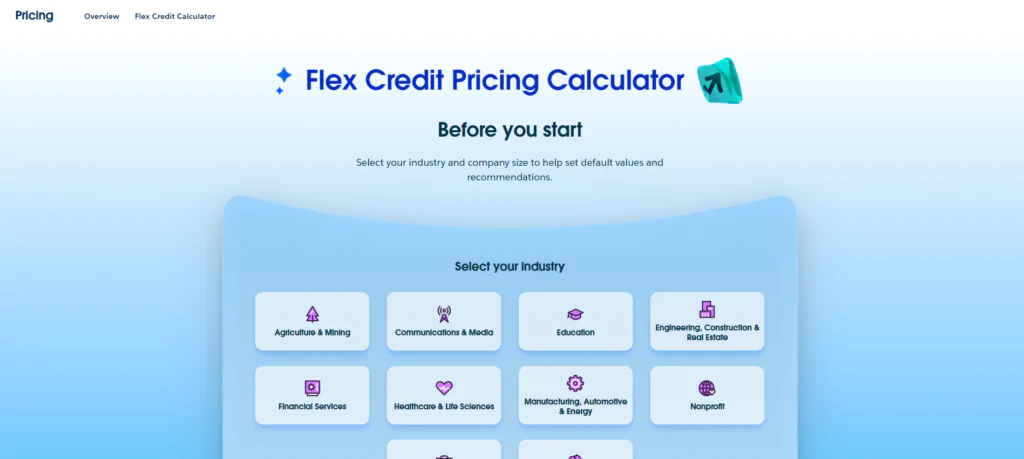
How the Calculator Actually Works
You start by selecting your industry, your company segment and the use case(s) most relevant to your team. You will find a comprehensive list of agent types to choose from, obviously including your typical Agentforce agents.
The calculator lets you get granular about the type of usage you expect, separating employee-facing and customer-facing interactions. Here are some of the most common ones:
- Sales Agent- Manages outreach, responds to prospects, processes opt-outs, and supports quote management so your sales team can focus on closing.
- Scheduling Agent- Automates appointment booking, rescheduling, and cancellations via natural language, syncing with Salesforce Field Service to reduce wait times and free up your service team.
- Service Agent- Resolves common customer questions and handles routine tasks, triaging requests and providing step-by-step guidance tailored to each issue.
- Employee Agent- Connects to your internal knowledge base to answer HR, IT, and operational questions before they ever reach a support queue.
- Mobile Worker Agent- Supports field technicians on the ground with troubleshooting, job wrap-up summaries, and scheduling coordination in real time.
And a lot more.
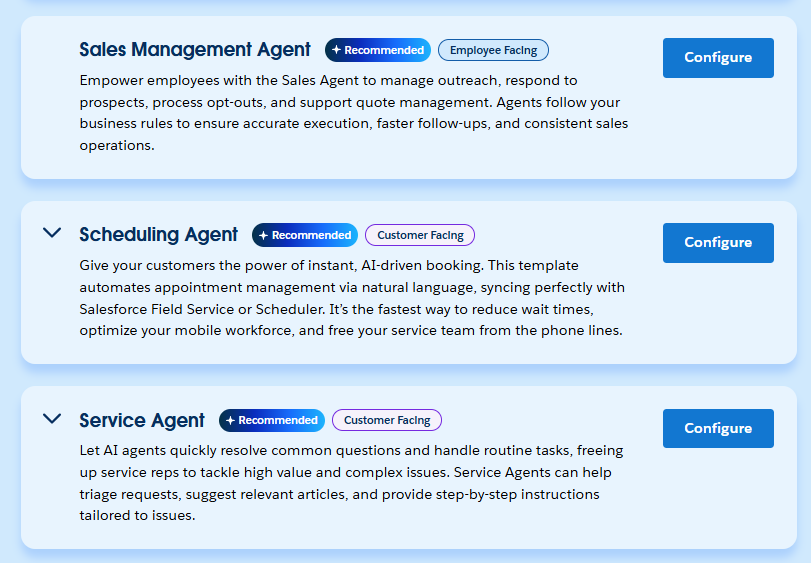
Then you configure each of these use cases by plugging in your numbers: the estimated annual volume of usage and the proportion you estimate that will be handled by the AI Agent.
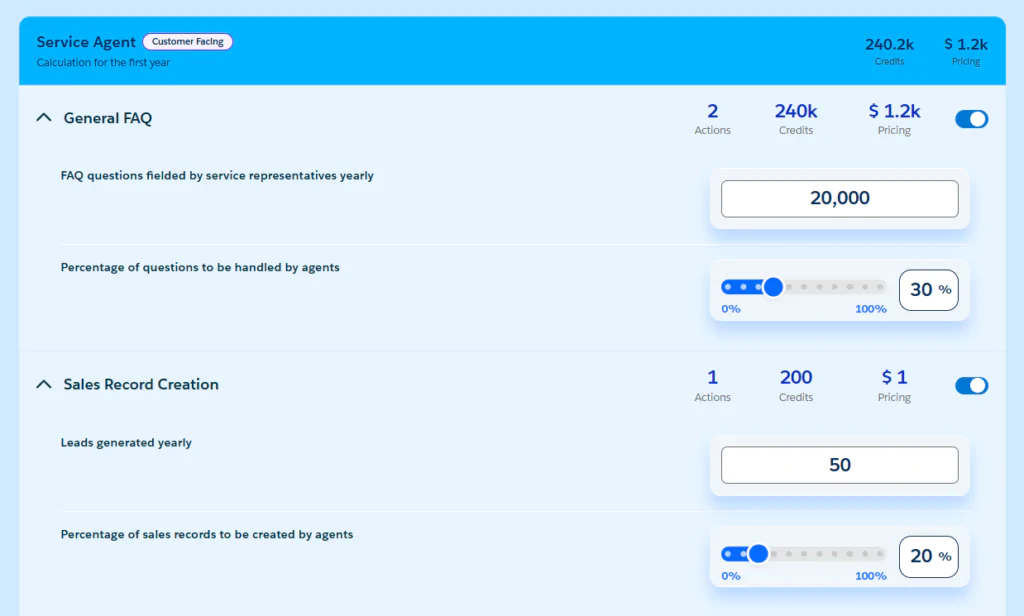
The calculator runs those inputs through Salesforce's Flex Credit model and gives you a cost estimate across your selected scenarios.
It's not magic. It's a structured way of stress-testing a use case before you build it.
Why This Matters to Your CFO
Most AI conversations stall because the numbers aren't real yet. This calculator makes them real. You can walk into a budget conversation with a specific use case, a specific team size, and a specific monthly cost. That's a very different conversation to "we think AI could help us."
It also shows you where to start. High-frequency, repetitive tasks are where Agentforce pays for itself quickest, and seeing that in black and white tends to make the decision a lot easier.
The AI Revolution Isn't Waiting
Here's the thing about waiting for the perfect cost model before starting: your competitors aren't waiting.
The companies already getting value from Agentforce didn't have perfect visibility when they started either. They made a reasonable call on a high-value use case, built it well, measured the results, and expanded from there.
Is the calculator a perfect forecasting tool? No. AI usage is genuinely hard to predict, and anyone who tells you otherwise isn't being straight with you. But it's the clearest picture available right now, and it's enough to make a smart, considered start.
A Few Things We're Still Thinking About
We want to be honest here. The calculator caps each input field at 100,000. For some teams that will be a realistic starting point. For others it may not fully reflect the scale of what they're planning.
Our read is that this cap is intentional. It's designed to give you a directional view, a way to understand how Agentforce costs stack up against your existing expenses and how to think about getting started. It's not meant to be a precise forecast of your full deployment.
Use it as a conversation starter, not a contract.
Where ProQuest Comes In
The calculator shows you the running costs of Agentforce. But Flex Credits are just one part of the picture. Getting Agentforce live, configured for your workflows, and actually adopted by your team is a separate conversation entirely.
That's what we do. We've delivered thirteen Agentforce projects across Australia, and we know what good looks like.
- Kudosity: 40% of customer enquiries resolved immediately
- Henry Schein: 70% of customer chats automated, including order tracking
- Expert Wealth: 30% faster client onboarding
- Austin Health: 90% faster clinical trial review cycles
Different industries, same principle. The right use case, built the right way, delivers fast.
Run your own numbers here, then let's talk about what they mean for your business. You might be closer to a yes than you think.